




Katrin, communications team leader at an SME, is familiar with this everyday problem: incomplete Outlook signatures, outdated contact details and a lack of consistency in corporate design. What may sound like a minor detail can quickly come across as unprofessional to customers, partners and authorities. This article shows how automated and centrally managed Outlook signatures ensure consistency, why email banners in the footer are an underestimated communication tool and how companies can professionalize their email communication in the long term. It is aimed at organizations with high email volumes - especially in the public sector, insurance companies and customer- and partner-oriented functions in the industrial environment.
Why are properly managed Outlook signatures more important than ever today?
Despite new communication channels, email remains a core element of digital business communication. It is not only relevant for communication between employees, but also forms the foundation for almost every type of digital interaction – ranging from online service registrations and social media platforms to order confirmations, notifications and support emails in e‑commerce.
Statistics from the Radicati Group underline this importance with clear figures: as early as 2023, more than 347 billion emails were sent and received worldwide every day. By 2027, this volume is expected to grow to over 408 billion emails per day – a continuous annual increase of around 4%.
This makes every single email – and especially every signature – a recurring touchpoint with your brand. Inconsistencies, missing mandatory information or an incoherent design may not be noticed immediately, but they shape the long‑term impression a company leaves behind.
For Katrin, one thing was clear: if her company wanted to present itself professionally, this was exactly where change had to happen.
What should a professional signature look like?
Katrin was determined to solve the problem once and for all. As a first step, she researched what a professional email signature should look like.
Components of a business email signature
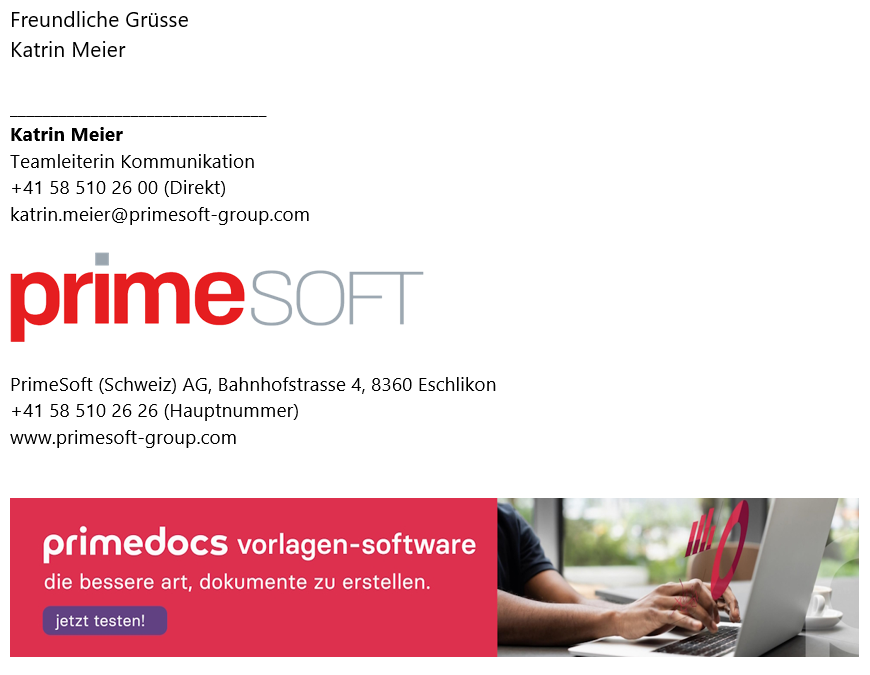
- Name and position: First and last name as well as the official position within the company. This immediately clarifies who the email is from.
- Company name and logo: The full legal company name and, if possible, the company logo. The logo supports brand recognition and conveys professionalism.
- Contact details: Email address, phone number (ideally both landline and mobile) and the company address. This allows recipients to contact you easily and directly.
- Legal mandatory information: In many countries, including Germany, specific legal details are required, such as the commercial register number, registered office, authorized representatives and, where applicable, VAT ID. This is particularly important for business emails.
- Links: Links to the official company website and, optionally, social media profiles (e.g. LinkedIn).
- Email banner: A graphical area within the signature that can be used for current marketing campaigns, events, surveys or special offers. Studies confirm the high level of attention such banners receive.
- Legal notes and disclaimers: If required, liability disclaimers or confidentiality notices. This is especially important in legally sensitive environments.
What role do design and corporate design conformity play?
A professional email signature should follow a consistent design. The font type and size should remain uniform and aligned with the company’s corporate design guidelines. Color schemes should also harmonize with the corporate identity to create a cohesive overall appearance.
A clear, structured layout helps recipients quickly identify the most important information.
Which industries and functions are email signatures particularly relevant for?
- Public administrations, authorities and public-sector organizations with high requirements for legal compliance, corporate design and standardized communication (e.g. communications managers, IT / digital workplace management, administrative staff)
- Insurance companies and financial service providers with customer‑ and partner‑facing functions, where trust, consistency and legal certainty are critical success factors (e.g. customer service, claims management, agencies)
- Industrial and manufacturing companies with international partners and customers as well as decentralized locations
(e.g. key account management, procurement, service & support) - Other industries and roles in which a high volume of external emails is sent on a daily basis
Where do manually maintained Outlook signatures reach their limits?
Katrin quickly realized that manual Outlook signatures did not solve the underlying problem. Each employee was responsible for their own signature and any changes had to be made individually. Central control was completely absent.
As an initial attempt, she created a short internal manual based on a Microsoft step‑by‑step guide she had found online. At first glance, it seemed straightforward.
Reality, however, looked very different. Employees frequently selected the wrong signature. Images such as logos or banners were often not embedded correctly and appeared as attachments or external links.
It became especially time‑consuming during staff changes, rebranding projects or legal updates. Every change required manual effort across all users – a process that is error‑prone and not scalable.
Katrin quickly identified the core issues:
- No central management: Each employee must create and update their signature independently. There is no way to apply changes centrally, which is particularly problematic for legal mandatory information or new marketing banners.
- No automatic distinction between internal and external emails: Outlook does not automatically detect whether an email is sent internally or externally. As a result, signatures must be adjusted manually, which is often forgotten.
- Lack of CI/CD conformity: Employees have different preferences regarding fonts, colors and layouts. This leads to inconsistent signatures that do not comply with corporate design and appear unprofessional externally.
- High effort when employees join or change roles: New employees often need weeks before their signature is set up correctly. Changes such as updated contact details or new positions must be handled manually by each individual.
- Error‑prone image integration: Images (e.g. logos or marketing banners) are often displayed as attachments or external links instead of being embedded correctly, which looks unprofessional and may prevent visual elements from being displayed.
- No time‑controlled campaign management: With manual signatures, it is nearly impossible to automatically activate or deactivate time‑limited banners in the email footer. Every change requires manual intervention.
Wasn’t there a smarter solution that could resolve all these issues at once? A way to manage signatures centrally, keep them automatically up to date and consistently comply with corporate design guidelines?
Katrin searched for «centrally managed email signatures» - and found exactly what she was looking for.
How can Outlook signatures be inserted automatically and managed centrally?
She found the solution in primedocs.
The solution allows Outlook signatures to be managed centrally and inserted automatically - without employees having to take any action.
Benefits at a glance
-
All signatures automatically compliant with your corporate design: From day one, employees automatically receive the correct signature in the desired corporate design. primedocs also automatically detects whether an internal or external signature should be used.
-
Multiple profiles: If an employee has multiple roles or works for different companies, they can select the appropriate profile per email with a single click. All signature details (e.g. contact information) are adjusted automatically.
-
Time‑controlled marketing banners: You decide - conveniently and centrally - which users display which information banner and for what period of time. Once the defined period expires, the campaign is automatically deactivated.
Email templates: Frequently used emails can be saved as templates and accessed quickly with just one click. -
Snippets: Whether individually defined per employee or centrally specified, text modules help users select correct, legally compliant wording efficiently via drag & drop.
The underestimated potential: using email banners in signatures strategically
Katrin was enthusiastic. In particular, the time‑controlled email banners immediately caught her attention. She could instantly imagine how practical it would be to place current information about events, information sessions or special offers directly in her team’s daily emails.
Previously, they had distributed flyers, created social media posts or even placed expensive ads to promote events. But why not use the daily email traffic anyway? Every email sent could become a subtle, unobtrusive advertising space - without any additional effort from employees.
Why are centrally managed email banners particularly effective?
Email banners leverage an existing communication channel that is already in daily use. Unlike traditional marketing measures, they do not introduce any additional media breaks.
Studies and practical experience show that banners in the signature area are perceived as contextual additional information rather than classic advertising. This makes them particularly effective for internal communication, events or targeted offers.
What do email banners look like with primedocs?
With primedocs, marketing banners in the email footer can be managed centrally. Responsible users define which employees display which campaign and for how long. Once the defined period has expired, the campaign is automatically deactivated - no further manual action is required. This enables efficient and consistent marketing communication directly via email signatures.
Central management also allows for clear task distribution within the organization. Campaign management can be delegated to a central marketing role, while employees do not have to worry about signatures at all. Changes are applied automatically in the background, saving time and minimizing errors.
What comes after signature management?
In document‑intensive industries such as public administration, insurance, banking, healthcare or manufacturing, the email signature is only one part of daily communication. Employees also create a wide range of documents, spreadsheets and presentations - often under time pressure and with strict requirements for corporate design, legal compliance and traceability.
After seeing the first successes with primedocs, Katrin asked a new question: how much time could her team save if not only Outlook signatures, but also other Microsoft 365 applications such as Microsoft Word were automated according to the same principles?
Especially in organizations with a high document volume, it quickly becomes apparent that inconsistent templates, manual formatting and outdated content not only look unprofessional, but also cause measurable additional effort.
Extended primedocs modules
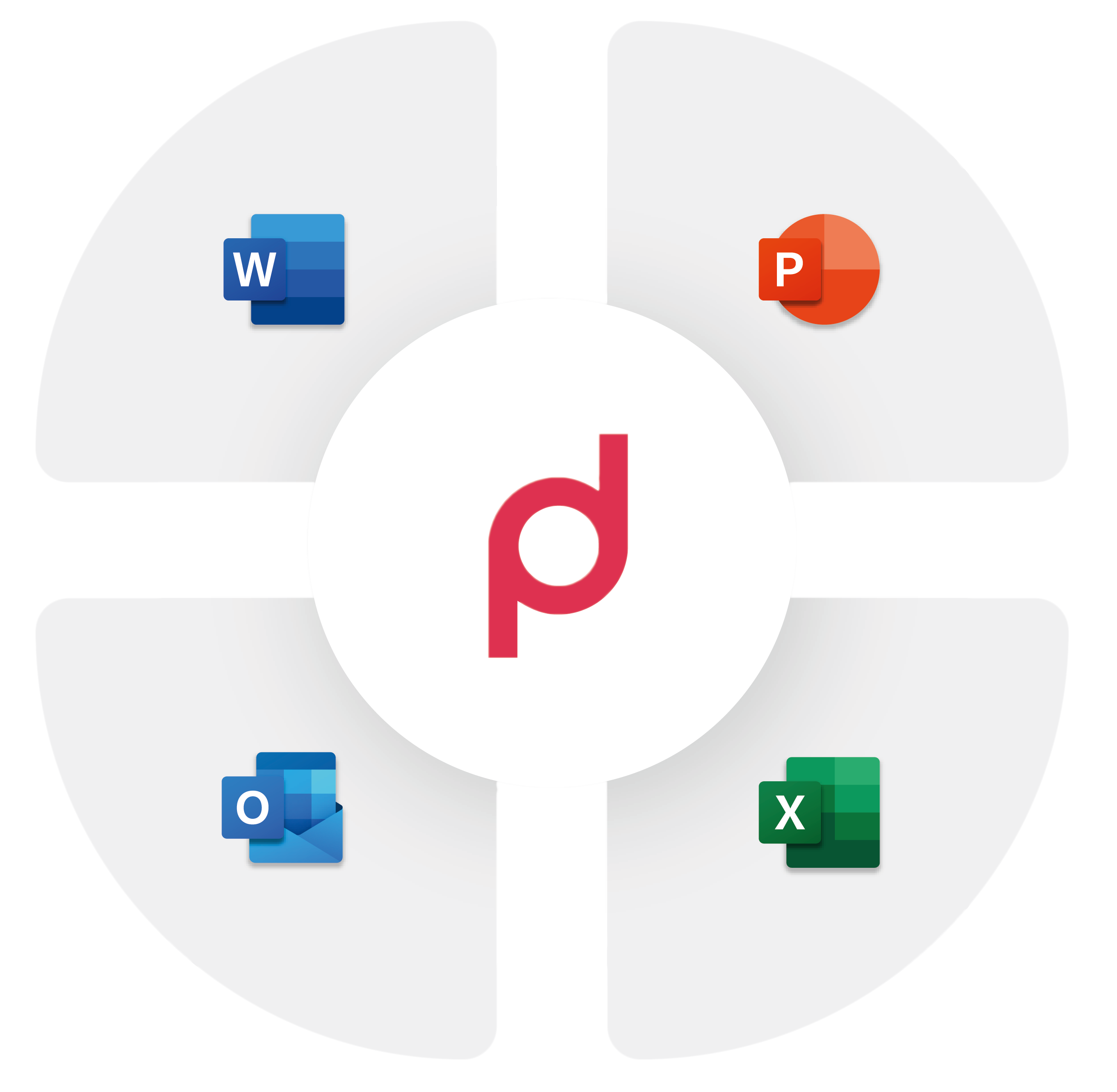
- Microsoft Word: Consistent document templates and automated text modules that preserve corporate design and always reflect current legal requirements.
- Microsoft PowerPoint: Professional presentations created automatically in the desired corporate design – without any manual effort.
- Microsoft Excel: Compliant reports and spreadsheets with formatting and design automatically aligned with corporate guidelines.
- Microsoft Teams: Templates can be selected directly within the app to create documents that are automatically stored in the corresponding Teams channel, making collaboration even more efficient.
For Katrin, one final conclusion became clear: automated email signature management was only the first step.
For document‑intensive organizations, primedocs is far more than a signature solution. It is a tool for centrally managing professional business communication – bringing structure, consistency and reliability into everyday digital work.
Case study: City of Rorschach on Lake Constance
A practical example is the city of Rorschach on Lake Constance. The number of document templates in use was reduced by approximately 70%.
FAQ: The most frequently asked questions about email signatures

Experience the solution that inspired Katrin!
Arrange a no-obligation initial consultation now and find out how primedocs not only automates email signatures, but also optimizes your entire Microsoft 365 landscape.
You too can become an efficiency champion: automated signatures, standardized templates and professional documents - all centrally managed, simple and error-free!
