


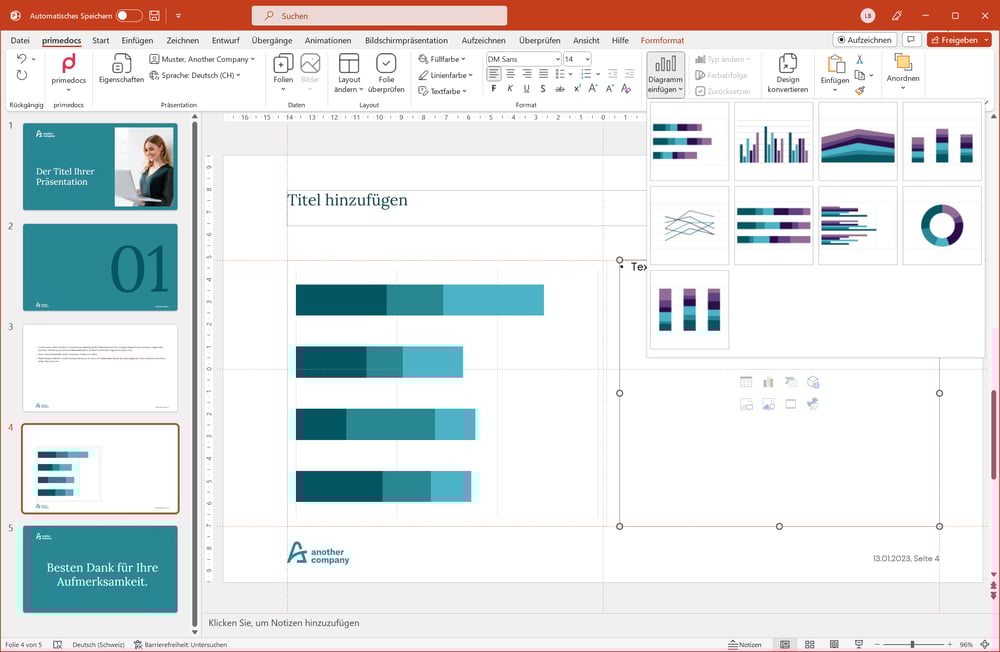


Convincing Microsoft PowerPoint presentations
The benefits of primedocs for your presentation creation
With primedocs you can create inspiring and professional presentations in Microsoft PowerPoint in no time at all. Your stringent corporate design comes into its own, especially in the visual area!

Our highlights
Video only in German
Simple and efficient presentation creation with the primedocs Buddy
In this video, you will learn how you can use primedocs Buddy to define important properties before you create your PowerPoint presentation. This ensures that your presentation largely corresponds to your desired end result after the initial creation. Once the presentation has been opened, only minor adjustments are required, which speeds up the entire editing process considerably.
Video only in German
Easily implement corporate identity and design in PowerPoint
PrimeDocs offers an intuitive image library and automatic formatting to ensure brand consistency, making presentations professional and aligned with your corporate design.
Video only in German
Automatic review of PowerPoint slides in accordance with CI/CD guidelines
Is your company spending too much time on PowerPoint formatting? PrimeDocs' 'Check slide' function quickly restores your layout to your corporate design, allowing you to create professional presentations effortlessly.
Video only in German
Create a table of contents with one click
Create a structured agenda in PowerPoint - with just one click! Instead of laboriously copying and formatting slide titles, primedocs lets you insert the agenda automatically. You save valuable time and ensure that your presentation is clear and structured. See for yourself how easy it is.
Video only in German
Corporate design in seconds
Your presentation doesn't fit the corporate design? No problem with primedocs! It can be perfectly customised with just a few clicks - without any effort.
All benefits at a glance
-
Guaranteed standardised corporate design
Correct logos, image galleries and formats (e.g. JPEG, SVG, PNG), icons, fonts, colours, diagrams, layouts, bullets, formatting and much more. -
Corporate Design Check
Third-party or old films can be quickly adapted to your CI/CD at the click of a mouse. -
Multilingualism
Both the software language and the document language can be customised at the touch of a button. -
Bring external presentations into your own corporate design with one click
External or outdated slides? No problem with primedocs! With just one click, you can easily adapt them to your CI/CD. -
Optimised interface management
primedocs can be easily connected to your CRM or other third-party applications via an interface.
Learn more -
primedocs Buddy - your assistant for efficient presentation creation
Define all relevant properties in advance so that your created presentation is immediately ready for use. -
Authorisation concept
You decide which employees have access to which templates or who can customise predefined template elements. -
Automatic table of contents
Create a structured table of contents in PowerPoint with just one click. Select the slides you want and primedocs will automatically apply the numbering, page numbers and formatting. -
Send presentations or individual slides directly via email
With primedocs, sending presentations directly from PowerPoint as email attachments is seamless—whether you’re using Outlook New or Classic. Enjoy full control and flexibility: send the complete deck or selected slides as PPTX or PDF, including comments and speaker notes if needed. -
Classification with Sensitivity Labels
Classify your PowerPoint presentations as you create them. Simply select the right Microsoft sensitivity label from a dropdown menu -filtered based on your permissions. primedocs automatically applies the label during generation and displays the visual label indicator provided by Microsoft, ensuring your sensitive content stays protected and transparent at all times.
Test for 30 days free of charge
Request a demo access and experience without any obligations how primedocs simplifies your workflows.

The 5-minute crisis - How a primedocs PowerPoint template can save your presentation
A sales employee sits tensely in front of his laptop. A presentation that will decide on an important customer is due to start in five minutes. The room is quiet - except for the nervous typing on the keyboard …
