



Centralized template management (also known as template management or template administration) brings structure to everyday document workflows and enables teams to work quickly, securely, and consistently - regardless of location. Especially in highly regulated sectors such as public administration, finance or healthcare, it offers a decisive advantage: consistent quality and full CI/CD compliance. With primedocs, Microsoft 365 templates can be centrally managed, automatically updated and deployed across the organization without errors. This article shows how modern organizations increase efficiency and significantly reduce risks.
What is template management and why do you need it?
Template management is a central storage and control mechanism for standardized document templates within an organization. It allows Word, PowerPoint and Excel templates to be managed centrally and ensures that employees always work with current, accurate and consistent templates - regardless of location or department.
Why is template management software important?
- Consistency and compliance: Standardized templates prevent inconsistencies in language, design and legally relevant content.
- Digitalization: Modern digital transformation initiatives rely on structured processes instead of isolated solutions.
- Efficiency: Document automation and template management significantly reduce manual editing and coordination efforts.
How does the primedocs template software work?
primedocs provides a cloud-based template management solution that allows business departments to centrally maintain and automatically generate document templates - without reliance on IT.
Core principles
- Central maintenance: Templates are managed in one central location.
- Automated updates: Changes are automatically rolled out to all users.
- Integration: Compatible with Microsoft 365 (Word, Outlook etc.) and other systems.
- Governance and compliance: Role- and permission-based controls define who is allowed to make changes.
Why is template management a key tool for your organization?
Without professional template management, many organizations struggle with challenges such as:
- outdated document templates
- multiple versions across different locations
- manual formatting errors
- legal risks caused by incomplete or incorrect content
„Our template management solution goes beyond static templates: primedocs integrates data from existing systems so that documents are automatically enriched with up-to-date information - without manual input.“
Member of the Executive Management Board, Group CSO & CMO PrimeSoft Group

Example Scenario
A financial services company with 12 locations and more than 3,800 employees discovered during an internal audit that 34 different versions of the same contract template were in circulation. Employees used locally stored files, old email attachments or individually modified versions.
This led to inconsistencies, compliance-related follow-up questions and an average of 15 additional minutes per document to correct errors or verify content.
With primedocs:
All contract templates were centralized, versioned and automated in a CI/CD-compliant manner. Today, all teams - whether sales, legal or customer service - work with a single, always up-to-date template.
Faulty documents were virtually eliminated and the additional review effort was drastically reduced.
How does a central, cloud-based template management system support your teams?
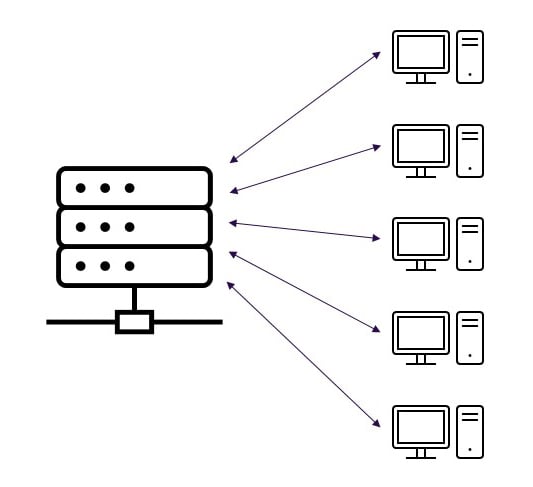
Cloud-based template management ensures that all employees - whether in administration, branch offices or working from home - always have access to the same current and CI/CD-compliant templates.
- Centralized, consistent delivery: All Microsoft 365 templates are maintained in one place and automatically distributed to authorized users. Different file versions or outdated templates are completely eliminated.
- Automatic inheritance principle: Design changes such as colors, logos or fonts are automatically applied to all dependent templates. Hundreds of templates can be updated at the push of a button - without manual adjustments.
- Scalable for large, distributed organizations: The cloud-based structure is ideal for organizations with multiple locations or hybrid teams. New departments, roles, or countries can be added easily at any time.
- Automatic content population: primedocs can prefill templates with key information before opening - via short input dialogs or integrations with third-party systems. Documents are largely ready upon opening and require minimal adjustments.
- Permission concept and active directory integration: Employees only see templates relevant to their role. Active Directory attributes such as name, role, or contact details can be automatically inserted into documents.
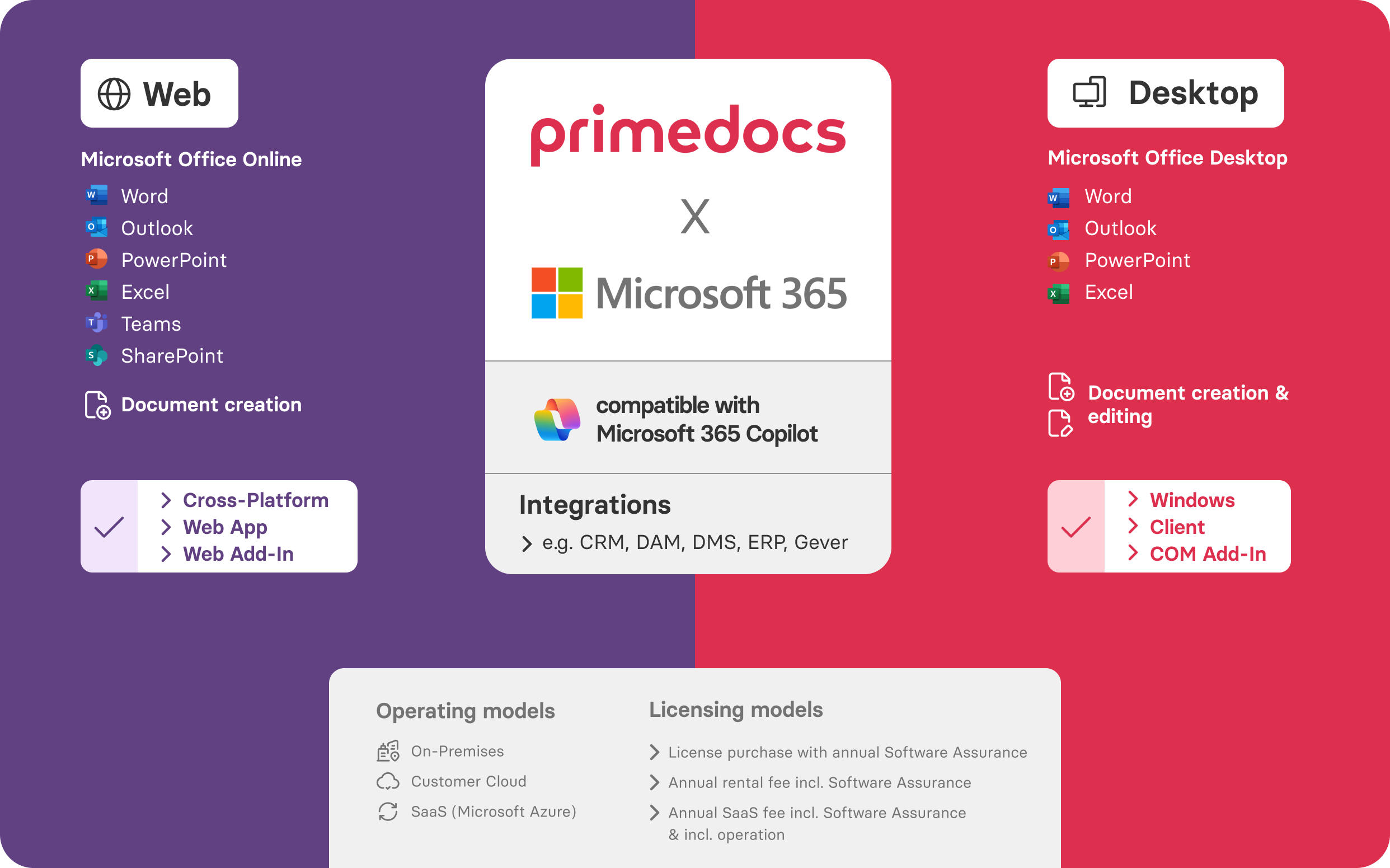
- Microsoft 365 compatibility: Whether Office is used locally, online or in a hybrid setup - primedocs works seamlessly across all Microsoft 365 environments.
Example scenario:
An insurance company with 4,500 employees updated 212 templates simultaneously. What previously took several weeks now takes less than 30 minutes.
Which document types can be automated particulary well with primedocs?
- Administrative documents (decisions, minutes, internal directives)
- Finance and insurance documents (quotes, policies, contracts)
- HR files and personnel documents
- Reports and meeting minutes
- Marketing and communication materials
- Legal and compliance documents
- PowerPoint presentations in corporate design
How do specific industries benefit from automated template management?
Public Sector
- standardized information letters and correspondence
- fewer errors and greater legal certainty
- reduced training and support effort
Finance & Insurance
- compliance-critical documents always consistent
- significant time savings through automated data integration
Healthcare
- standardized patient information and internal reports
- secure processes based on predefined content
- data remains within the local user environment
Industry
- quotes, orders, technical documentation, service reports
- higher efficiency across multiple locations
Which Customers Already Work Successfully with primedocs
Cantonal Hospital Winterthur (KSW)
KSW is one of Switzerland’s leading hospitals with more than 4,000 employees. Before primedocs, the unstable predecessor solution caused uncertainty and performance issues when working from home. Today, primedocs provides a modern, stable solution with centralized signature management, CI-compliant templates and clear processes for campaign control and quality assurance.
Canton of Bern
Several departments of the Canton of Bern were looking for a unified template management solution across offices and languages. primedocs prevailed in a public tender thanks to efficiency, CI/CD compliance and technical scalability. Particularly valuable was the automated migration of existing templates using the PrimeSoft conversion tool.
Interview with Simon Keller, Keller Unternehmensberatung
In an in-depth interview, Simon Keller explains how primedocs was introduced and how the solution contributes to structuring and standardizing document processes within the company. The organization benefits especially from clear rules, centralized document management and consistent CI compliance.
Basellandschaftliche Kantonalbank (BLKB)
BLKB is advancing its digital transformation using a template solution from PrimeSoft. For more than 1,000 employees, Brandic provides consistent PowerPoint, Word and Outlook templates. In addition, more than 2,000 existing slides were automatically converted - an important step toward standardizing document creation, CI compliance and signature processes.
Conclusion: Why primedocs is the modern answer to document chaos
Centralized template management is no longer a «nice-to-have» but a core component of efficiency, compliance and governance in regulated organizations. It integrates seamlessly into modern document workflows and its relevance is reinforced by research on document management systems and lifecycle approaches.
Comparison: Working without vs. with primedocs
|
Function |
without primedocs |
with primedocs |
|
Customization and adaptation |
Manual formatting, many separate templates, risk of outdated versions
|
One template for everything: multilingual, location-specific, flexibly customizable
|
|
Integration of external data |
Data from ERP/CRM must be transferred manually
|
Seamless data transfer via interfaces
|
|
Address management |
Recipients are entered manually
|
Automatic retrieval from CRM or address sources
|
|
Working with templates |
No automated processes
|
Text modules & automation at the click of a button
|
|
Formatting/CI Manual work |
Risk of errors
|
Automatic CI-compliant formatting
|
|
Efficiency |
High effort & prone to errors
|
Fast creation in familiar M365 environment
|
|
Design conformity |
Not guaranteed
|
|
|
Legal certainty of content |
Content difficult to control
|
Centrally approved text modules ensure legally correct content
|
|
Third-party content required
|
Manual adjustments necessary |
|
|
Email signatures
|
Difficult to update
|
Centrally controlled and automatically correct |
|
Email banners
|
Manual insertion of banners
|