




Word building blocks are easy to explain, but in practice they quickly reach their limits. Especially in document‑intensive industries, the Microsoft standard solution lacks central control, consistency and governance. This article outlines the five most common problems with Word quick parts and explains how professional, central management of text building blocks with primedocs in Word and Outlook provides a remedy.
What are text building blocks - and why are they indispensable in daily document creation?
A text building block is a predefined text segment that is reused to ensure consistency, efficiency and quality in documents. Text building blocks are especially relevant for:
- public administrations
- hospitals and healthcare organizations
- insurance companies and banks
- energy providers
- all organizations with many templates, letters and forms
Typical content of text building blocks
- standard phrases that are repeatedly used (e.g. greetings, closings, notices)
- legally approved text passages that must be used unchanged and in a version‑secure way
- role- or situation-dependent content elements that are inserted depending on context
- complete paragraphs or entire documents that serve as templates or foundations
Possible scenario
Example: A growing startup creates an average of 120 customer proposals per month. Without central text building blocks, employees spend around 10 minutes per proposal on adapting and manual formatting - resulting in approximately 20 hours of lost time per month.
How do building blocks work in Word?
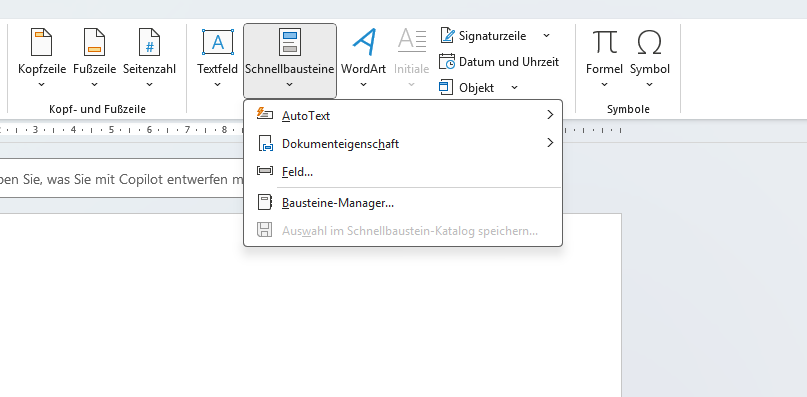
Microsoft Word provides a standard feature known as quick parts (also referred to as «text building blocks» or «AutoText»), which allows users to save text snippets and reinsert them later.
In Word and Outlook, these building blocks are based on quick parts that are stored locally or bound to specific templates.
Here you can find a step‑by‑step guide on how to create standard text building blocks in Microsoft Word.
However, central management of text building blocks is not supported by this feature - especially not when templates are intended to be used across an entire organization.
For this reason, the standard solution is primarily suitable for individual users or small teams.
4 problems with the standard feature in Microsoft Word
|
Challenge |
Meaning |
Possible impact |
|
Organization |
Word building blocks can only be categorized in a rudimentary way and are tied to individual templates.
|
|
|
Consistency |
Word quick parts do not enforce consistent use of text building blocks.
|
|
|
Central management and updates |
Word quick parts are template‑bound; changes must be distributed manually and in a controlled manner.
|
|
|
Flexibility |
Word offers placeholders, but no option for central, data‑driven or rule‑based content control.
|
|
Take the test: do you need more than Word’s standard text building blocks?
If you answer «yes» to one or more of the following statements, using a professional text building block solution is worthwhile:
- We have more than 50 users who work with Word and Outlook documents on a daily basis.
- We have clear CI/CD guidelines that must be consistently adhered to.
- There are strict compliance and governance requirements (e.g. public sector, healthcare).
- We work with many templates and standardized letters.
- Our organization is distributed across multiple locations (nationally or internationally).
- Content must be updated centrally and made immediately available to everyone.
Does one or more of these points apply? Then the Microsoft standard solution with quick parts quickly reaches its limits in practice.
What is a primedocs text moduls?
A primedocs text modul (also known as «snippets») is a professionally enhanced version of a Word quick part - developed for organizations with high documentation, quality, and compliance requirements.
Unlike Word building blocks, primedocs enables centralized, versioned management of text building blocks that can be used directly in Word and Outlook - independent of individual templates or local settings.
primedocs helps organizations from a wide range of document‑intensive industries eliminate document chaos by delivering centrally controlled, CI/CD‑compliant text building blocks directly in Word and Outlook. Many additional features also help to significantly increase efficiency and productivity in everyday work.
What specific benefits do primedocs text moduls offer?
- multilingual text snippets for international or multilingual organizations: with language‑dependent selection for consistent communication
- shared text snippets: centrally maintained, versioned, and administered
- granular permission model with role‑based access
- personal snippets created by users via drag & drop
- administrative workflow for approval and transfer into central libraries
- images as snippets: enabling centralized control of graphics as well
- favorites feature: for quick access to frequently used content
- synchronization with Outlook: making text building blocks available as email templates
How primedocs solves the text building block problems of the Microsoft standard solution
1. Organization
-
clear categories
-
searchable libraries
-
permissions and roles
primedocs offers a user‑friendly interface that simplifies the creation and management of text building blocks, including permissions. Building blocks can be clearly categorized and organized, making them quick and easy to find.
2. Consistency
- central CI/CD guidelines
- mandatory formats
- no local deviations in templates
With primedocs, organizations can define consistent rules for the use of CI/CD‑compliant text building blocks. As a result, all employees use the same fonts, colors and formatting, leading to professional, brand‑compliant documents.
3. Central management and updates
- central maintenance
- automatic distribution
- always up‑to‑date text building blocks in Word and Outlook
primedocs enables central management and updating of text building blocks. Changes are made once and automatically distributed to all users, ensuring that only the latest versions are used.
4. Flexibilität
- structured customization
- scalability for complex requirements
primedocs provides extensive customization options for text building blocks. Organizations can adapt content precisely to their specific requirements, resulting in greater flexibility and efficiency in document management.
5. Integration
- seamless integration into Word and Outlook
- connection to line‑of‑business and third‑party systems
- end‑to‑end document processes
primedocs integrates seamlessly with Microsoft Office and other enterprise applications. This integration enables efficient use of primedocs features across multiple applications and improves productivity and consistency throughout the organization.
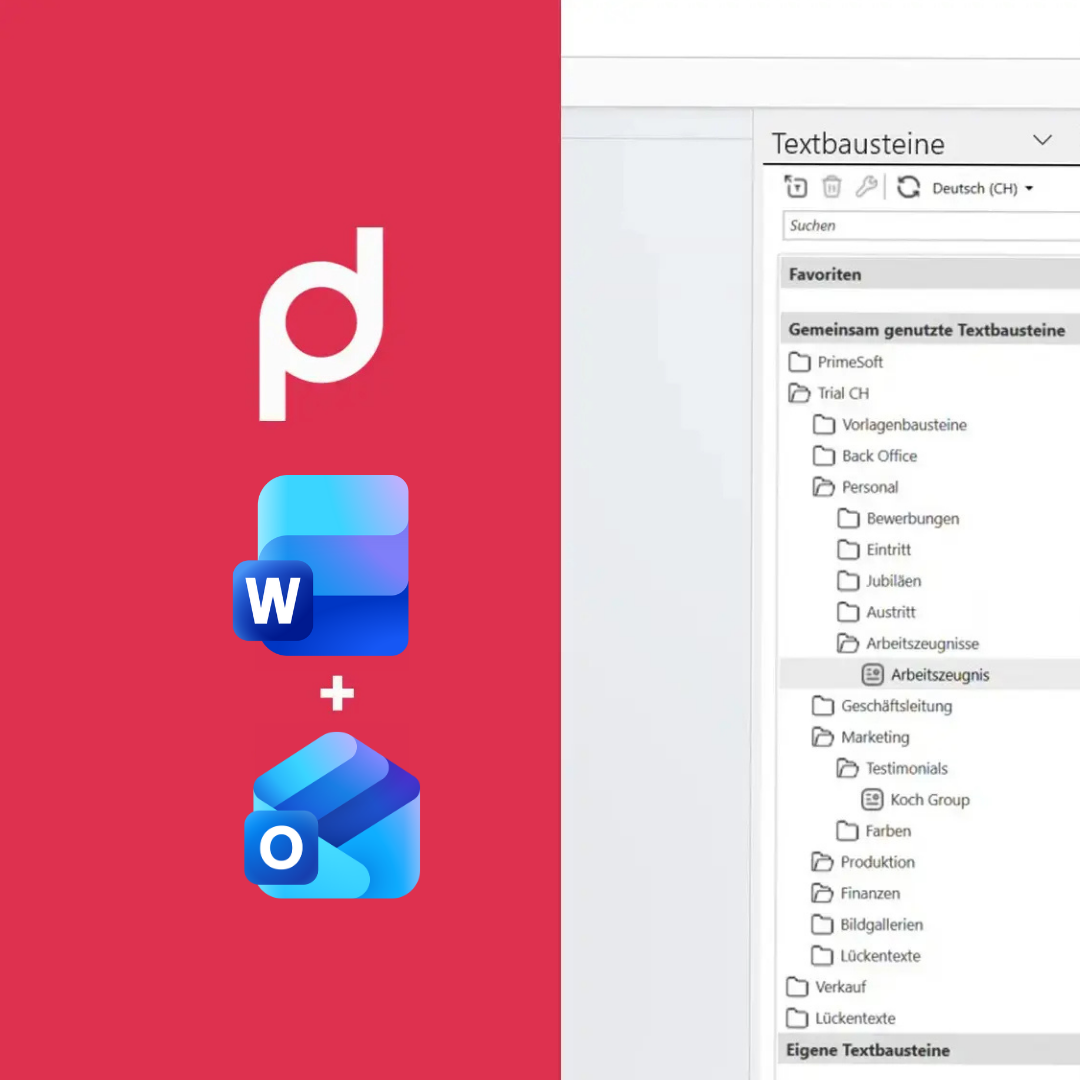
How to create a snippet in primedocs in just a few steps
Step 1: Select the desired text or passage in the document.
Step 2: In the Word ribbon, next to «Home», you will find the «primedocs» tab.
Step 3: Click on «Snippets». The panel opens on the right‑hand side.
Step 4: Add the text via drag & drop, name it, define the language - done.
Experience the feature live in the video (in German)

Case study: ETAVIS AG
In the success story, ETAVIS AG reports how primedocs has driven the professionalization of all business documents. The ease of use led to noticeable time savings in everyday work.
Highlight: the text building block feature of primedocs.
Text modules: 5 questions - 5 answers

See primedocs in action - no obligation and practical
In a short live demo, we will show you how central text modules can make your document and email creation faster, more consistent and compliant.